

Finding the right person to contact is often harder than writing the outreach email itself.
You may know exactly which company, publication, or website you want to reach, but still need to determine who handles partnerships, marketing, editorial decisions, sales, recruitment, or another relevant function.
Then there is another problem: even when you find an email address, how do you know whether it is still valid?
Hunter attempts to solve both problems.
What started primarily as an email-finding tool has developed into a broader B2B prospecting and cold outreach platform. In 2026, Hunter combines company discovery, professional email finding, verification, intent signals, automated email sequences, AI assistance, sender-health tools, and API access within the same ecosystem.
That makes Hunter much more interesting than it was when people mainly used it to type in a domain and find an email address.
In this Hunter.io review 2026, I will look at Hunter’s Email Finder, Domain Search, Email Verifier, Discover database, Sequences, AI features, Signals, deliverability tools, pricing, pros and cons, and how useful the platform can be for sales prospecting and link-building outreach.
What Is Hunter.io?
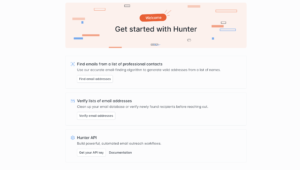
Hunter.io is a B2B prospecting and email outreach platform designed to help users find professional contacts, verify email addresses, organize leads, and contact those prospects.
Its main tools include:
- Discover
- Domain Search
- Email Finder
- Email Verifier
- Bulk tools
- Sequences
- Signals
- Integrations
- API access
Hunter’s current positioning is essentially an end-to-end outreach workflow: identify companies, find the appropriate people, verify their contact details, and then contact them without having to move the data between several unrelated tools.
Typical users include:
Sales teams.
Recruiters.
Founders.
Marketers.
PR professionals.
Link builders.
Business development teams.
Agencies.
The platform can be useful anywhere you need to identify professional contacts and reach them through email.
What Is Different About Hunter.io in 2026?
Hunter has changed considerably from the relatively simple email lookup tool many marketers remember.
Several important additions and improvements have become part of the platform.
Hunter now provides a B2B database through Discover, allowing users to search for companies before they even know which domains they want to investigate.
It has introduced AI-assisted prospect discovery, an AI Writing Assistant for outreach, A/B testing within Sequences, Progressive Sending, sender-health monitoring, and Inbox Protection for email warm-up.
Hunter also uses a unified credit system across its main all-in-one outreach plans.
Instead of maintaining separate balances for finding and verifying contacts, paid outreach plans use one credit pool. Finding an email typically costs one credit, while verifying an address costs half a credit.
These changes make a Hunter.io review in 2026 very different from one written several years ago.
The platform is now competing with broader lead-generation and outreach tools rather than only email finders.
Hunter Discover
Discover is Hunter’s B2B prospecting database.
Instead of beginning with:
“I know the website. I need the email.”
you can begin with:
“What companies should I contact?”
Hunter Discover lets users search for companies based on characteristics associated with their ideal customer profile.
This is important because prospecting usually has two separate stages:
Find relevant businesses.
Find the right person within those businesses.
Hunter increasingly handles both.
Discover lets users explore potential companies and refine the market before spending credits revealing professional email addresses. Hunter’s current documentation says searching Discover itself is free; credits are used when email addresses are revealed.
For sales teams, this could mean searching for businesses based on company characteristics.
For an agency, it could mean identifying potential clients.
For a recruiter, it could mean identifying employers likely to have relevant candidates.
For link builders, Discover may be less important than Domain Search, but it can still help when prospecting by company category rather than beginning with an existing website list.
AI Assistant in Hunter Discover
Hunter has also integrated AI into Discover.
The AI Assistant allows users to describe the types of companies they want to find instead of depending entirely on manual filters.
Hunter improved this feature in March 2026, alongside the ability to exclude previously saved companies from prospecting results.
AI-based prospect discovery can be useful because users do not always know exactly which filters represent their ideal customer.
Instead of manually constructing a complicated query, you can begin by explaining the type of business you want.
This fits a broader trend I discuss in my guide to the AI SEO tools I use: AI becomes more valuable when it reduces repetitive research rather than merely generating text.
Hunter Domain Search
Domain Search remains one of Hunter’s signature tools.
You enter a company domain, and Hunter returns professional email addresses associated with it.
For example, suppose I want to contact someone at:
examplecompany.com
Hunter can show public professional email addresses associated with that domain, together with information such as confidence, department, and public sources.
This is particularly useful when you know which organization you want to contact but not who inside the organization you should approach.
Hunter currently provides department filters and identifies where public email information was discovered.
That source transparency is useful.
Rather than simply displaying an unexplained email address, Hunter can show where publicly available contact information originated.
How I Would Use Domain Search for Link Building
Domain Search can be particularly useful for publisher outreach.
Suppose you have already found a relevant website where you would like to pitch:
An expert contribution.
A useful resource.
An article update.
A broken-link replacement.
A brand mention.
An editorial collaboration.
You may know the publication but not know whether you should contact:
The editor.
Content manager.
Marketing manager.
Website owner.
Contributor.
Domain Search can help identify possible contacts.
The tool does not decide why the publisher should respond, however.
That part still depends on the outreach strategy.
I discuss the value-first approach in my guide on how to manage industry-related link mentions without paying placement fees.
Finding someone’s email is only the first step.
You still need a legitimate reason for contacting them.
Hunter Email Finder
Email Finder works differently from Domain Search.
Instead of asking:
“Who works at this company?”
you provide a person’s name and company or domain.
Hunter then attempts to identify that person’s professional email address.
Hunter says Email Finder searches its database of public addresses and, where necessary, analyzes likely email patterns for the relevant domain. The resulting address is then checked through its verification system.
This makes Email Finder useful when you already know exactly who you want to contact.
For example:
You found the editor on LinkedIn.
You know their name.
You know the publication.
But you cannot find their email address.
Email Finder can potentially fill that gap.
Hunter also supports bulk email finding and a Google Sheets add-on for larger prospect lists.
Does Hunter Just Guess Email Addresses?
Sometimes Hunter finds an email directly within its public-data database.
In other cases, it determines likely email-address patterns from the domain and uses additional information to identify the most probable address.
Hunter says these results are then subjected to email verification rather than simply returning every possible name combination.
This distinction matters.
An ordinary email permutation tool might generate:
You are then left guessing.
Hunter attempts to determine which address is most likely and provide verification information with the result.
Hunter Email Verifier
Finding an email address does not necessarily mean you should immediately send to it.
People:
Change companies.
Leave jobs.
Delete mailboxes.
Change domains.
Companies reorganize their email infrastructure.
This is why email verification is important.
Hunter’s Email Verifier checks factors including:
- Email syntax
- Domain information
- MX records
- SMTP availability
- Mail server response
- Disposable-email status
- Catch-all configuration
Hunter says it performs these checks without sending an actual email to the recipient.
The objective is to determine whether the mailbox appears capable of receiving your email before you actually contact it.
Why Email Verification Matters
High bounce rates can become a serious problem during cold outreach.
If you send hundreds of emails to abandoned or invalid mailboxes, email providers can interpret that behavior as a sign of poor list quality.
That can affect sender reputation and inbox placement.
Hunter recommends verifying contacts before outreach and classifies addresses according to their likely deliverability.
Hunter states that it generally observes bounce rates below 1% for recently verified addresses marked as valid, while correctly noting that no verification system can guarantee that every message will be delivered.
That qualification is important.
Email verification reduces risk.
It does not eliminate every possible bounce.
Bulk Email Verification
You do not need to verify contacts individually.
Hunter provides Bulk Email Verifier functionality for larger lists.
This could be useful if you already have:
A spreadsheet of prospects.
An old CRM database.
A publisher outreach list.
A recruiting database.
An exported newsletter list.
You can run the addresses through verification before launching outreach.
For someone doing regular prospecting, this can be much faster than checking addresses one at a time.
Hunter Sequences
Hunter also includes a cold email automation platform called Sequences.
This means you do not necessarily need to find email addresses with Hunter and then export everything into another cold outreach tool.
You can connect your Gmail, Google Workspace, Outlook, or supported email account and send campaigns through Hunter.
Sequences includes functionality such as:
- Automated follow-ups
- Custom personalization fields
- Scheduling
- Templates
- Email tracking
- Reporting
- Multiple sender accounts on paid plans
- Email account rotation
- AI-assisted writing
- A unified inbox
- Custom tracking domains on eligible plans
That makes Hunter a much more complete outreach platform than an email-finding tool alone.
Hunter Sequences vs. Dedicated Cold Email Software
This is where Hunter begins overlapping with products such as Smartlead.
Hunter’s advantage is integration.
You can potentially move from:
Discover companies
to:
Find contacts
to:
Verify contacts
to:
Send outreach
without constantly exporting and importing spreadsheets.
Dedicated cold-email platforms may provide deeper infrastructure for organizations sending at very large scale.
If large-scale cold email is your primary objective, my Smartlead Review explains how Smartlead approaches mailbox management, sending infrastructure, warm-up, sequences, and high-volume outbound campaigns.
Hunter is particularly appealing when contact discovery and verified data are just as important as sending.
AI Writing Assistant
Hunter includes an AI Writing Assistant within paid Sequences plans.
The assistant can help create, rewrite, and improve cold-email copy.
I would use this carefully.
Cold outreach tends to perform poorly when hundreds of messages sound exactly the same.
AI can help build a starting point, but meaningful personalization still matters.
A useful outreach email should demonstrate why:
This specific person.
At this specific company.
Should care about this specific message.
AI can reduce writing time.
It cannot manufacture genuine relevance.
A/B Testing in Hunter Sequences
Hunter added A/B testing to Sequences in March 2026.
This allows users to test different variants within email sequences rather than relying entirely on assumptions about which message will perform better.
You could test:
Subject line A vs. subject line B.
Short opening vs. longer opening.
Different calls to action.
Different value propositions.
Testing becomes especially useful once campaign volume is large enough to produce meaningful data.
For a tiny campaign targeting 15 publishers, highly personalized manual outreach may be more valuable than sophisticated testing.
For thousands of sales prospects, A/B testing becomes much more useful.
Hunter Progressive Sending
Hunter introduced Progressive Sending in 2026.
The feature gradually increases sending volume rather than immediately sending large numbers of messages from a new or inactive mailbox.
That distinction matters because suddenly sending large volumes from a previously quiet mailbox can create deliverability problems.
Progressive Sending focuses on controlled volume increases.
Hunter differentiates it from Inbox Protection, which is specifically designed around email warm-up and sender-reputation maintenance.
Hunter Inbox Protection
Inbox Protection is Hunter’s email warm-up product.
It is available as a paid add-on rather than being automatically included with the standard outreach subscription.
Hunter says Inbox Protection gradually warms connected email accounts and then continues maintaining sender reputation.
This can be useful if you are:
Using a newly created outreach mailbox.
Restarting an inactive email account.
Scaling outbound campaigns.
Experiencing deliverability problems.
The key pricing consideration is that you need to budget for Inbox Protection separately.
Do not assume warm-up is automatically included simply because you purchased a Hunter paid plan.
Sender Health and Email Accounts Center
Hunter has also expanded its deliverability-management tools.
The Email Accounts Center allows users to manage sender accounts and monitor the health of their sending setup from one place. This capability was introduced in late 2025 and remains part of Hunter’s current outreach infrastructure.
This becomes increasingly important when you are managing several sending accounts.
Cold email is no longer simply:
Upload contacts.
Click send.
Deliverability requires attention to:
Sender reputation.
Email authentication.
Sending volume.
Bounce rates.
Mailbox health.
Domains.
Tracking.
Engagement.
The more sending accounts you operate, the more valuable centralized monitoring becomes.
Hunter Signals
Hunter Signals adds another layer to prospecting.
Instead of selecting companies only because they match a static ideal customer profile, Signals helps identify businesses showing specific activity.
Hunter currently uses intent-style signals involving events such as:
Funding announcements.
Hiring activity.
This can make outreach more timely.
Suppose you sell recruitment software.
A company suddenly hiring 50 employees may be more relevant than another company of the same size that is not hiring.
Suppose you sell services to startups.
A company that just raised a funding round may be more interesting than a similar company that has shown no recent activity.
The goal is to contact prospects when there is an actual reason the timing might make sense.
Finding Similar Companies
Hunter Discover can also help find companies similar to a business you already know is a good prospect.
The current lookalike functionality considers factors such as industry, company descriptions, and keywords.
This can be useful when you already have a strong client.
Instead of defining your entire ideal customer profile manually, you can effectively ask:
“Find me more companies like this one.”
That can accelerate prospect research.
Hunter Browser Extension
Hunter also provides browser extensions.
The Chrome extension allows you to visit a website and check professional email addresses associated with that domain without manually opening Hunter and entering the domain separately.
For manual prospecting, this can save considerable time.
Imagine reviewing 50 websites for link outreach.
Instead of:
Open website.
Copy domain.
Open Hunter.
Paste domain.
Search.
you can potentially access Hunter directly while browsing.
That makes the extension particularly useful for link builders, PR teams, recruiters, and salespeople who identify prospects through manual web research.
Hunter Google Sheets Add-On
Hunter also provides a Google Sheets add-on.
You can find and verify professional emails directly inside spreadsheets.
This makes sense because spreadsheets remain central to many prospecting workflows.
Link builders in particular often maintain spreadsheets containing:
Website.
Contact name.
Email.
Domain authority.
Traffic.
Status.
Follow-up date.
Link target.
Hunter’s Sheets integration can reduce the number of manual steps required to populate that contact information.
Hunter Integrations
Hunter integrates with other business tools rather than forcing users to keep everything inside Hunter.
Its current outreach platform supports CRM connectivity and Zapier automation, while Hunter’s verification documentation specifically identifies native integration options involving HubSpot and Pipedrive.
Zapier can extend Hunter into thousands of additional workflow endpoints.
This becomes useful when Hunter is only one part of your sales process.
For example:
Hunter finds contact.
Hunter verifies email.
Sequence begins.
Lead replies.
CRM updates.
Salesperson continues conversation.
Good integrations prevent the information from becoming trapped inside separate software systems.
Hunter API
Hunter also provides API access.
The API can be used for functions including:
Domain Search.
Email Finder.
Email Verification.
Discover.
Hunter additionally provides dedicated Data Platform plans for organizations primarily interested in using Hunter’s data through bulk workflows or APIs rather than the complete outreach interface.
This is more relevant to developers and larger organizations than the average individual marketer.
A business could potentially integrate Hunter directly into its own internal lead-generation application rather than having employees manually perform every search.
Hunter.io Pricing in 2026
Hunter currently offers four standard levels:
Free
Starter
Growth
Scale
Enterprise pricing is also available for larger requirements.
Hunter offers both monthly and annual billing, with annual plans currently receiving a 30% discount.
Pricing can display in a localized currency depending on where the pricing page is accessed, so always check the current Hunter pricing page before purchasing.
Free Plan
Hunter’s Free plan includes:
- 50 credits per month
- Basic Discover filters
- AI Assistant in Discover
- 1 connected email account
- Up to 500 recipients per sequence
- API access
- Integrations
- Unlimited team members
For someone who occasionally needs to find a contact, the free plan can be genuinely useful.
It is also enough to test the platform before paying.
Starter
Hunter currently prices Starter at approximately $49 per month when paid monthly, or around $34 per month equivalent when billed annually.
The annual plan includes 24,000 credits for the year.
Starter also adds:
- Auto-verification
- Lead enrichment
- Advanced Discover filters
- AI Assistant
- 3 connected email accounts
- AI Writing Assistant
- Priority support
- Email account rotation
- Premium Sequences features
This is probably the most relevant paid plan for individual marketers, freelancers, and smaller outreach operations.
Growth
Growth currently costs approximately $149 per month monthly, or about $104 per month equivalent with annual billing.
The annual plan provides 120,000 credits.
Growth currently supports:
- 10 connected email accounts
- Up to 5,000 recipients per sequence
- Advanced Discover functionality
- AI Writing Assistant
- Auto-verification
- Email account rotation
- Custom tracking domains
- Priority support
This tier makes more sense for growing outbound teams.
Scale
Scale currently costs approximately $299 per month monthly, or about $209 per month equivalent when billed yearly.
The annual plan includes 300,000 credits.
Current limits include:
- 20 connected email accounts
- Up to 15,000 recipients per sequence
- Unlimited Signals
- Advanced Discover
- AI Writing Assistant
- Email rotation
- Priority support
This plan is clearly designed for businesses performing outreach at much greater scale.
How Hunter Credits Work
Hunter’s unified credit system is relatively straightforward.
For the main All-in-One Outreach plans:
Finding one professional email: 1 credit
Verifying one email: 0.5 credit
Bulk Domain Search can provide up to ten email addresses for a domain/company under its specific credit rules.
Monthly plan credits reset each month.
Annual-plan credits are provided for the annual period rather than resetting monthly.
Paid customers can also purchase additional credit packs.
One drawback is that unused monthly credits do not simply accumulate forever.
If your prospecting volume changes significantly from month to month, this is worth considering.
Is Hunter.io Good for Link Building?
Yes, particularly for finding and verifying publisher contact information.
A typical link-building workflow could look like this:
Use an SEO platform to find relevant websites.
Manually review those websites.
Use Hunter Domain Search or Email Finder to locate appropriate contacts.
Verify the addresses.
Add relevant prospects to an outreach workflow.
Send a personalized message.
Track responses.
For identifying link opportunities in the first place, dedicated SEO tools remain more appropriate.
My Ahrefs Review 2026 covers backlink analysis and competitor link research, for example.
Hunter enters the workflow later.
It helps answer:
Who should I contact, and how do I reach them?
That makes it complementary to an SEO platform rather than a replacement.
Hunter.io vs. BuzzStream
Hunter and BuzzStream overlap somewhat, but their strengths are different.
Hunter is stronger around:
Finding professional email addresses.
Verification.
B2B company prospecting.
Contact data.
Cold email sequences.
BuzzStream is more focused on:
Publisher relationship management.
Digital PR.
Link-building CRM workflows.
Campaign organization.
Long-term outreach relationships.
If your main problem is:
“I have a website and need to find the right person’s verified email,”
Hunter is highly relevant.
If your main problem is:
“I manage hundreds of publisher relationships and need an outreach CRM,”
BuzzStream may make more sense.
You can read my BuzzStream Review 2026 for a closer look at that workflow.
Hunter.io vs. Pitchbox
Pitchbox is more heavily oriented toward professional link-building and digital PR operations.
It combines prospecting with outreach workflows, campaign management, and SEO-oriented processes.
Hunter is generally simpler.
That can be an advantage.
Someone who needs to find emails and conduct straightforward outreach may not need all the workflow complexity of an enterprise-oriented link-building platform.
Agencies running large link-building operations may prefer Pitchbox.
Freelancers, founders, and smaller teams may prefer Hunter’s more direct workflow.
My Pitchbox Review 2026 goes deeper into Pitchbox’s strengths and weaknesses.
Hunter.io vs. Smartlead
The difference becomes clearer here.
Hunter: prospect discovery + email finding + verification + outreach.
Smartlead: scalable cold email sending and infrastructure.
Hunter gives greater emphasis to helping you find the prospect in the first place.
Smartlead gives greater emphasis to managing outbound email infrastructure at scale.
If you already have huge prospect lists and simply need to send them efficiently, Smartlead may be more appropriate.
If you regularly need to identify the companies, people, and verified emails before contacting them, Hunter can consolidate more of the workflow.
Hunter.io Pros and Cons
Hunter.io Pros
Strong Email Finder
Finding a professional email from a person’s name and company remains one of Hunter’s strongest capabilities.
Domain Search is excellent for prospecting
You can investigate a company and find potential contacts without knowing the person’s name first.
Built-in verification
Email discovery and verification work together rather than requiring separate software.
Discover adds B2B prospecting
Hunter can now help identify companies before you search for contacts.
Cold email is integrated
Sequences means you do not automatically need another platform to contact the leads you find.
Useful free plan
50 monthly credits and basic Sequences access make it possible to test Hunter without paying.
AI features are practical
AI is being applied to prospect discovery and email creation rather than simply existing as a generic chatbot.
Unlimited team members
Hunter’s current standard plans include unlimited team members, with plan limits mainly focused around credits and sending accounts.
Good integrations
CRM, Zapier, Google Sheets, browser extensions, and API options make Hunter easier to include in existing workflows.
Hunter.io Cons
Credits can become expensive at scale
Large prospecting operations can consume substantial numbers of credits.
Unused monthly credits do not roll over
Users with irregular prospecting demand need to consider this when selecting a plan.
Inbox Protection costs extra
Email warm-up is not automatically bundled into standard paid plans.
Not a dedicated link-building CRM
BuzzStream and Pitchbox provide workflows built more specifically around publisher and digital PR relationship management.
Not primarily built for extreme cold-email volume
Organizations whose biggest priority is operating very large outbound infrastructures may prefer more specialized cold email software.
Contact discovery is never perfect
No database contains every professional email address. Some contacts will still require manual research.
Who Is Hunter.io Best For?
Sales Teams
Hunter can help sales teams identify companies, find decision-makers, verify contact information, and begin outbound sequences.
Link Builders
Domain Search and Email Finder can make publisher contact research much faster.
SEO Agencies
Agencies doing link acquisition, partnerships, or prospecting can integrate Hunter with SEO research tools.
Founders
Early-stage founders can use Discover and Sequences to contact potential customers, partners, investors, and other relevant businesses.
Recruiters
Recruiters can locate professional contact information and communicate with candidates who may not be actively applying for jobs.
PR Professionals
Hunter can help identify contact information for relevant organizations and publications.
Freelancers
The Free and Starter plans make Hunter accessible without requiring enterprise software expenditure.
Who Probably Does Not Need Hunter?
You may not need Hunter if:
All your leads already enter your CRM through inbound forms.
You never perform cold outreach.
You only communicate with existing subscribers.
You need internal employee email rather than B2B prospecting.
You manage extremely sophisticated enterprise sales operations requiring a full sales-intelligence platform.
You send enormous cold-email volumes and already have your own prospect databases.
Hunter is most useful when finding and verifying professional contacts is part of the problem you need to solve.
Is Hunter.io Easy to Use?
Ease of use remains one of Hunter’s strengths.
The basic workflow is easy to understand.
For Email Finder:
Enter name.
Enter company.
Get potential email.
For Domain Search:
Enter domain.
Review contacts.
For Email Verifier:
Enter email.
Check status.
Discover and Sequences add additional complexity, but Hunter has generally avoided turning the interface into an enormous enterprise CRM.
That simplicity is particularly useful for freelancers and smaller teams.
You can use individual tools when you need them rather than adopting every component immediately.
Is Hunter.io Worth It in 2026?
Hunter is worth considering in 2026 if professional email discovery is an important part of your outreach workflow.
Its biggest advantage is the number of prospecting steps it can now connect.
You can:
Find companies.
Identify contacts.
Find professional email addresses.
Verify those emails.
Organize prospects.
Send automated sequences.
Run follow-ups.
Test messaging.
Monitor results.
Protect sender reputation with additional deliverability tools.
That consolidation can reduce the number of separate subscriptions and spreadsheet transfers required to run outreach.
The free plan is also useful enough to test whether Hunter’s email data works for the kinds of prospects you normally target before committing to a paid subscription.
For my type of link-building workflow, I would view Hunter primarily as a contact discovery and verification tool first and an outreach automation platform second.
Finding the correct editor, site owner, marketing manager, or publisher contact can save considerable time.
But the software does not solve the most important part of outreach:
Giving that person a reason to respond.
That still requires relevance, personalization, and a worthwhile offer.
The same principle applies whether you are doing sales outreach, digital PR, or trying to earn the type of editorial mentions I discuss in my guide to building industry-related links without relying on placement fees.
Overall, Hunter has become substantially more capable in 2026.
It is no longer simply:
“Enter a domain and find an email.”
It is increasingly:
Find the company, find the person, verify the contact, identify the timing, and conduct the outreach from one platform.
For freelancers, marketers, recruiters, founders, link builders, and smaller sales teams, that makes Hunter one of the more practical outreach tools to consider in 2026.
Frequently Asked Questions
What is Hunter.io?
Hunter.io is a B2B prospecting and outreach platform used to discover companies, find professional email addresses, verify emails, manage leads, and send cold email sequences.
Is Hunter.io free?
Yes. Hunter currently offers a Free plan with 50 credits per month, access to Discover, one connected sending account, and up to 500 recipients per email sequence.
How much does Hunter.io cost in 2026?
Hunter currently offers Free, Starter, Growth, Scale, and Enterprise plans. Starter is approximately $49 per month with monthly billing or $34 per month equivalent with annual billing. Growth is approximately $149/$104, while Scale is approximately $299/$209 depending on monthly or annual billing.
What does Hunter.io do?
Hunter helps users find B2B prospects, locate professional email addresses, verify whether those emails appear deliverable, and contact prospects through automated email sequences.
What is Hunter Domain Search?
Domain Search identifies professional email addresses associated with a particular company or website and provides information such as sources and verification status.
What is Hunter Email Finder?
Email Finder lets you enter someone’s name and company or domain to search for their likely verified professional email address.
Is Hunter.io accurate?
Hunter verifies many returned email addresses and provides verification statuses and confidence information. No email-finding tool can identify every address or guarantee every email will remain valid indefinitely.
Does Hunter verify emails?
Yes. Hunter includes an Email Verifier that checks factors including syntax, MX records, SMTP response, disposable addresses, and catch-all configuration without sending an actual message to the recipient.
Can Hunter.io send cold emails?
Yes. Hunter Sequences allows users to connect email accounts and send automated cold email campaigns and follow-ups.
Does Hunter.io have email warm-up?
Yes. Hunter offers Inbox Protection for email warm-up and ongoing sender-reputation support, but it is a paid add-on rather than being included automatically with the standard plans.
Does Hunter.io have AI features?
Yes. Hunter currently provides an AI Assistant in Discover and an AI Writing Assistant in paid Sequences plans. Its 2026 updates have expanded AI-assisted prospecting capabilities.
Does Hunter.io support A/B testing?
Yes. Hunter added A/B testing to Sequences in March 2026, allowing users to compare variants within outreach sequences.
Can Hunter.io find companies?
Yes. Hunter Discover is its B2B company database and allows users to search for companies matching an ideal customer profile.
What are Hunter Signals?
Signals helps identify prospects based on recent events such as hiring activity and funding news, allowing outreach teams to prioritize companies showing potentially relevant intent.
Is Hunter.io good for link building?
Yes. Hunter can be particularly useful for finding and verifying the email addresses of editors, website owners, marketing managers, publishers, and other people relevant to link-building outreach.
Is Hunter.io better than BuzzStream?
They solve different parts of the outreach process. Hunter is stronger for email discovery and verification, while BuzzStream is more specialized around relationship management, digital PR, and link-building CRM workflows.
Is Hunter.io better than Smartlead?
Hunter is generally stronger for integrated prospect discovery, email finding, and verification. Smartlead is more focused on scalable cold-email sending infrastructure. The best option depends on which part of the outreach process matters most.
Is Hunter.io worth it in 2026?
Hunter.io can be worth using for marketers, sales teams, recruiters, founders, agencies, and link builders who regularly need to find and verify professional email addresses. Its combination of Discover, Domain Search, Email Finder, Email Verifier, Signals, and Sequences makes it considerably more complete in 2026 than a basic email lookup tool.