
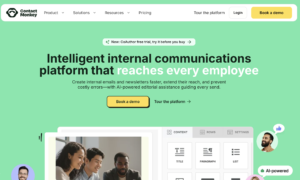

Email remains one of the most important communication channels inside companies.
Employees receive leadership announcements, HR updates, benefit information, company news, policy changes, event invitations, safety notices, and operational updates through their inboxes every day.
The problem is that Outlook and Gmail were designed primarily for sending email—not for running a sophisticated internal communications program.
Internal communication teams often need much more.
They need to know:
- Who opened an important announcement
- Which links employees clicked
- Whether different departments are engaging
- How long people actually read an email
- Which subject lines perform better
- Whether frontline employees receive the same information as office staff
- How employees feel about a message
- Whether emails look consistent with company branding
- Whether important links are broken before the message is sent
That is where ContactMonkey comes in.
ContactMonkey is an internal communications platform designed specifically for creating, sending, measuring, and improving employee emails and newsletters. It works with Outlook and Gmail while adding features such as drag-and-drop email creation, analytics, segmentation, surveys, dynamic content, approval workflows, and increasingly sophisticated AI capabilities.
In this ContactMonkey Reviews 2026 guide, I will look at what the platform does, its current AI tools, email analytics, Outlook and Gmail integration, audience segmentation, pricing approach, advantages, limitations, and which organizations are most likely to benefit from using it.
What Is ContactMonkey?
ContactMonkey is software built specifically for internal communications.
It is not primarily a cold email platform.
It is not designed mainly for newsletters sent to customers.
And it is not a traditional sales prospecting tool.
The platform is intended to help companies communicate with their own employees.
ContactMonkey allows internal communications teams to create branded employee emails, distribute them through existing Outlook or Gmail environments, collect feedback, and measure what happens after each message is sent.
Typical users may include:
- Internal communications teams
- HR departments
- Corporate communications teams
- Employee engagement professionals
- Executive communications teams
- Large distributed organizations
- Companies with deskless employees
- Global businesses
- Organizations running internal newsletters
The distinction between internal email and external email marketing is important.
A platform such as Smartlead is primarily built around outbound prospecting. You can read my Smartlead Review if your goal is cold email.
ContactMonkey solves a very different problem.
It helps organizations communicate better with the people who already work there.
What Has Changed With ContactMonkey in 2026?
AI has become a much larger part of ContactMonkey’s product direction in 2026.
ContactMonkey now describes its AI system as an agent-based internal communications platform covering different parts of the email workflow.
Current AI capabilities include tools such as:
- CoAuthor
- ConfidenceCheck
- Audience Preview
- Insights Assistant
ContactMonkey also lists additional AI agents on its roadmap covering areas such as content curation and delivery automation.
This is important because earlier internal email software was often focused mainly on two things:
Creating attractive newsletters.
Tracking opens.
The 2026 version of ContactMonkey is trying to assist teams across a much larger portion of the process:
Draft the message.
Design the email.
Review it for mistakes.
Understand how different audiences may interpret it.
Send it.
Measure what happened.
Analyze the results.
Use those insights to improve the next campaign.
That makes ContactMonkey much more than an Outlook newsletter template tool.
ContactMonkey Email Template Builder
One of the core ContactMonkey features is its drag-and-drop email template builder.
Outlook and Gmail are perfectly capable of sending basic messages.
They are much less convenient when someone needs to create a polished company newsletter containing multiple sections, images, buttons, surveys, videos, and branded layouts.
ContactMonkey’s email template builder is designed to address this problem.
Users can create responsive internal emails without manually coding HTML.
Current functionality includes:
- Drag-and-drop editing
- Custom branding
- Reusable templates
- Images
- Videos
- GIFs
- Surveys
- Polls
- Dynamic content
- Responsive layouts
ContactMonkey also allows teams to lock parts of templates so local communicators can customize appropriate sections without accidentally changing important branding elements.
This can be particularly valuable inside large organizations.
Imagine a multinational business with communications teams in ten regions.
Head office may want every employee newsletter to use the same:
Logo.
Fonts.
Brand colors.
Header.
Legal footer.
General structure.
But regional teams may still need to customize local announcements.
Brand-controlled templates can provide that balance.
ContactMonkey Outlook Integration
Outlook integration is one of ContactMonkey’s biggest selling points.
Instead of requiring employees to completely abandon their existing Microsoft email environment, ContactMonkey integrates with Outlook and adds internal communications capabilities around it.
ContactMonkey describes its Outlook integration as a way to turn ordinary Outlook emails into branded and trackable internal communications.
This matters because introducing new enterprise software can create adoption problems.
Employees may already spend much of their working day inside Microsoft 365.
Asking communications teams to build everything inside a completely separate platform can create another system to learn.
ContactMonkey attempts to keep much of the workflow connected to tools businesses already use.
Does ContactMonkey Work With Gmail?
Yes.
ContactMonkey supports both Outlook and Gmail.
Its current pricing documentation states that recipients do not need ContactMonkey accounts and that internal messages can be delivered through the organization’s existing Outlook or Gmail environment.
This expands the platform beyond Microsoft-heavy businesses.
Organizations using Google Workspace can still use ContactMonkey for internal email creation, sending, and analytics.
ContactMonkey Internal Email Analytics
Analytics are probably one of the strongest reasons for an organization to use ContactMonkey instead of relying entirely on normal Outlook or Gmail messages.
ContactMonkey’s internal email analytics can measure metrics such as:
- Opens
- Clicks
- Click-through rates
- Read time
- Device type
- Location
- Survey responses
- Engagement by segment
Data becomes available after an email is sent, allowing communications teams to understand whether employees actually interacted with the message.
This changes internal communications from:
“We sent the announcement.”
to:
“We sent the announcement, 78% opened it, managers engaged more strongly than frontline employees, and the benefits link generated the most clicks.”
That second statement provides considerably more useful information.
Why Internal Email Analytics Matter
Imagine a company sends an important benefits enrollment announcement to 8,000 employees.
Without analytics, the communications team knows the email was delivered.
But they may not know:
Did employees open it?
Did anyone click the enrollment link?
Were certain locations less engaged?
Did managers read it more frequently than hourly employees?
Was the message too long?
Did people understand the call to action?
Internal communications analytics can provide evidence rather than assumptions.
ContactMonkey’s 2026 Internal Email Benchmark Report analyzed more than 255,000 anonymized internal email campaigns across more than 20 industries, giving its customers a substantial benchmark dataset for comparing internal email performance.
That kind of benchmarking can be useful because an open rate means very little without context.
A 60% open rate might sound excellent or disappointing depending on what is normal for your organization and industry.
ContactMonkey Insights Assistant
Analytics dashboards can create another problem.
You may have plenty of data but still struggle to understand what the numbers mean.
ContactMonkey’s Insights Assistant attempts to solve that through conversational AI.
Instead of manually navigating several reports and filters, users can ask questions about internal email performance in plain language.
For example:
“How did this month’s newsletter perform compared with last month?”
“Which department had the lowest engagement?”
“Did our click rate improve?”
ContactMonkey says the Insights Assistant can provide direct answers, interpretations, trend information, and visualizations based on campaign data.
This could be useful for internal communications professionals who do not want to spend significant time building spreadsheets before every leadership meeting.
It effectively turns part of the reporting workflow into a conversation with the data.
ContactMonkey CoAuthor AI Email Builder
ContactMonkey’s AI email builder is called CoAuthor.
CoAuthor can take a prompt and generate a structured internal email containing both layout and written content.
According to ContactMonkey, users can provide information about:
- Audience
- Purpose
- Main points
- Tone
- Message goals
and CoAuthor can create an editable starting draft.
This could be particularly useful when someone knows what they need to communicate but does not want to begin with an empty page.
For example:
“Create an employee email announcing our new hybrid work policy. Keep it professional but approachable. Include the effective date, manager responsibilities, and a link to the complete policy.”
CoAuthor could generate the initial structure.
The communicator can then revise it.
That final step still matters.
Internal corporate communications can involve sensitive policy, legal, HR, or operational information.
AI-generated copy should always be reviewed for accuracy before sending.
ContactMonkey ConfidenceCheck
ConfidenceCheck is one of the more interesting ContactMonkey features in 2026.
It acts as an AI-powered pre-send review system.
Before the message goes out, ConfidenceCheck can check areas such as:
- Broken links
- Content inconsistencies
- Accessibility problems
- Readability
- Date mismatches
- Placeholder text
- Organization-specific terminology
ContactMonkey says the tool is designed to catch mistakes before employees receive the email.
This can be surprisingly valuable.
Imagine sending an internal email to 30,000 employees with:
The wrong date.
A broken benefits link.
An unfinished placeholder.
An incorrect executive name.
A confusing call to action.
The communications team may then need to send another company-wide message correcting the first one.
That creates confusion and makes the organization look less professional.
A pre-send quality check could reduce those mistakes.
ContactMonkey Audience Preview
Audience Preview takes the pre-send concept in a different direction.
Instead of checking only for technical mistakes, it attempts to evaluate how the email may be received by different employee groups.
ContactMonkey describes Audience Preview as an AI-powered feedback feature that uses audience personas representing groups such as:
- Executives
- Frontline workers
- New employees
- Remote workers
- Field teams
The system can provide feedback around clarity, relevance, tone, and calls to action before the email is sent.
This is an interesting concept because the person writing a company email may not represent the people receiving it.
A corporate communications professional working from headquarters may read a message very differently from:
A warehouse employee.
A retail associate.
A field technician.
A senior executive.
An employee who joined last week.
Audience Preview attempts to identify those differences before they become a communications problem.
ContactMonkey Audience Segmentation
Sending every message to every employee is not always good communication.
A policy affecting the Canadian office may be irrelevant to someone working in Australia.
An announcement for managers may not need to reach every individual contributor.
A technical system update may apply only to one department.
ContactMonkey provides audience segmentation for creating more targeted groups.
Segments can be built around attributes such as:
- Department
- Role
- Location
- Seniority
ContactMonkey can also connect employee information through HR systems and directories to reduce the amount of manual list management.
This can be much more practical than maintaining dozens of spreadsheets or manually updating distribution lists whenever someone joins, leaves, or changes departments.
ContactMonkey Dynamic Content
Audience segmentation determines who receives something.
Dynamic content determines what each person sees inside the same email.
ContactMonkey’s Dynamic Content feature allows teams to build one master email containing content blocks displayed differently depending on recipient attributes.
For example, a company newsletter could contain:
A London office announcement shown only to London employees.
A New York announcement shown only to New York employees.
Leadership training shown only to managers.
Technical maintenance information shown only to IT.
All of this can exist inside one campaign rather than creating four completely separate emails.
That can save a substantial amount of repetitive work in large organizations.
ContactMonkey Multi-Language Emails
Global organizations frequently need to send the same communication in several languages.
Without dedicated functionality, that can mean:
Create English email.
Duplicate it.
Translate it.
Duplicate again.
Translate again.
Maintain separate distribution lists.
Hope every version stays consistent.
ContactMonkey supports multi-language email workflows so businesses can create several language versions of the same communication and deliver the appropriate version to recipients.
Its multi-language system supports multiple versions within the same email workflow rather than forcing teams to manage completely separate campaigns for every language.
This is particularly relevant for global organizations with employees in multiple countries.
ContactMonkey Employee Surveys
Sending information is only one side of internal communication.
Organizations also need employees to respond.
ContactMonkey supports surveys, pulse feedback, reactions, and other engagement mechanisms within internal emails.
This can help communications teams measure:
Employee sentiment.
Understanding.
Event interest.
Feedback.
eNPS.
Responses to organizational initiatives.
Instead of sending an announcement and then launching a completely separate survey system, feedback can be incorporated directly into the communication workflow.
ContactMonkey’s current analytics environment can measure pulse survey results, eNPS, reactions, comments, and segment-level engagement.
ContactMonkey Approval Workflows
Internal communications often go through several people before being sent.
An executive announcement may need approval from:
Corporate communications.
Legal.
HR.
The executive’s office.
Regional teams.
Without a structured workflow, approvals can become scattered across:
Email chains.
Teams messages.
Slack.
Documents.
Comments.
ContactMonkey’s Approval Workflows keeps sign-off attached to the email campaign itself.
That can make it easier to see:
Who reviewed the message?
Who approved it?
Whether changes were requested?
Whether the final version is actually approved?
This becomes more valuable as the organization becomes larger and communications carry more risk.
ContactMonkey Pages
Email has one obvious limitation.
Eventually, messages disappear deep inside the inbox.
Someone may remember receiving an important announcement three months ago but struggle to find it.
ContactMonkey’s Pages feature allows an existing internal email or piece of content to be turned into a branded web page.
This gives important announcements a location employees can revisit after the original message is buried in their inbox.
That could work well for content such as:
Policy updates.
Benefits information.
Executive announcements.
Employee resources.
Frequently referenced company information.
Pages do not replace a complete intranet, but they can give important email content a longer life.
ContactMonkey Integrations
Large organizations rarely operate with only one software system.
Employee data may live in:
Workday.
BambooHR.
Dayforce.
Active Directory.
Microsoft 365.
Google Workspace.
Other HRIS platforms.
ContactMonkey currently advertises integration with 80+ HRIS systems, alongside tools such as Microsoft Outlook, Gmail, Teams, SharePoint, and other enterprise applications.
Integrations matter particularly for segmentation.
If employee information automatically syncs from the HR system, communications teams do not need to manually update lists every time someone:
Changes roles.
Moves office.
Joins a department.
Leaves the organization.
Becomes a manager.
That reduces both work and the possibility of sending information to the wrong audience.
ContactMonkey Security
Security matters considerably for internal communication software because messages can contain company information that should not be exposed publicly.
ContactMonkey currently states that it is SOC 2 Type II compliant and supports enterprise security capabilities including SSO and SCIM.
Its pricing information also says customer data is encrypted within its AWS infrastructure.
Organizations operating in regulated environments should still complete their own security and compliance review before adopting any internal communications platform.
Large companies may have requirements around:
Data residency.
Employee privacy.
Access controls.
Retention.
Single sign-on.
Analytics.
Individual tracking.
The fact that a tool offers enterprise security features does not eliminate the need for internal review.
Individual-Level Email Tracking and Privacy
ContactMonkey can provide detailed employee-level engagement data depending on the organization’s configuration and policies.
That creates powerful reporting possibilities.
It also creates privacy considerations.
Internal communications teams should think carefully about:
What data is collected.
Who can see individual engagement.
How long information is retained.
Whether employees are informed.
What local employment or privacy regulations apply.
ContactMonkey provides both aggregate and detailed measurement capabilities, including individual-level reporting and segment analysis.
The most detailed tracking option is not automatically the right choice for every organization.
Analytics should be configured according to business requirements and employee privacy expectations.
ContactMonkey Pricing in 2026
ContactMonkey does not publish a simple fixed monthly price in the way many small-business SaaS products do.
Instead, pricing is quote-based.
You can review the current structure on the official ContactMonkey pricing page.
ContactMonkey says pricing depends primarily on:
- Team size
- Usage
- Plan tier
- Number of sender seats
- Recipient coverage
A sender seat is a licensed person who can create and send campaigns. Employees receiving messages do not need their own ContactMonkey accounts.
This approach makes sense for enterprise software because an organization with:
2 communicators and 800 employees
has very different requirements from one with:
30 communicators and 50,000 employees.
The downside is that potential customers cannot immediately calculate exactly what ContactMonkey will cost without contacting the company.
ContactMonkey Plans in 2026
ContactMonkey currently organizes its main plans into:
Launch
Launch provides the core internal email capabilities and analytics.
This is the starting point for organizations that primarily need better internal email creation and measurement.
Grow
Grow adds more advanced functionality, including deeper segmentation and reporting capabilities.
Organizations wanting stronger personalization and data-driven targeting are more likely to need this level.
Enterprise
Enterprise is designed for larger organizations with more sophisticated requirements.
ContactMonkey says its Enterprise tier includes capabilities such as Analytics API access for connecting internal communications data with tools such as Power BI and Tableau.
Additional enterprise integrations or services may be scoped separately depending on the organization’s requirements.
Can You Try ContactMonkey for Free?
ContactMonkey provides several ways to explore the platform before committing.
The company offers:
- Interactive product tours
- On-demand demonstrations
- Personalized demos
- Live product demonstrations
- Limited access to CoAuthor
ContactMonkey currently allows users to create their first three CoAuthor-generated emails without a paid commitment.
Some ContactMonkey pages also advertise trial access to email-building features. Because trial availability can change by product and promotion, I would check the current ContactMonkey getting-started options before assuming the complete platform can be tested without speaking to sales.
ContactMonkey Pros and Cons
ContactMonkey Pros
Built specifically for internal communications
This is not a generic email marketing platform attempting to serve every possible audience.
Outlook and Gmail integration
Communications teams can continue working within familiar email environments.
Strong internal email analytics
Teams can measure opens, clicks, read time, segments, surveys, and other engagement signals.
Drag-and-drop email builder
Professional internal newsletters can be created without coding HTML.
Audience segmentation
Messages can be targeted according to department, location, role, seniority, and other employee characteristics.
Dynamic content
One campaign can show different content to different employee groups.
AI is integrated into practical workflows
CoAuthor, ConfidenceCheck, Audience Preview, and Insights Assistant address different stages of internal email creation and measurement.
Approval workflows
Teams can keep the review and approval process connected directly to the email.
Global communication capabilities
Segmentation and multi-language features can make communication easier for geographically distributed organizations.
Enterprise integrations
HRIS and business-tool integrations reduce manual list management.
ContactMonkey Cons
No public flat pricing
Organizations need to request a quote rather than simply seeing an exact monthly subscription price.
Probably excessive for very small teams
A company with 15 employees may not need enterprise-level internal email analytics.
Focused on internal communications
This is an advantage for the intended customer, but it means ContactMonkey is not a replacement for cold email or customer email marketing software.
Advanced functionality may depend on plan
Segmentation, deeper analytics, HRIS integrations, dynamic content, and API capabilities vary according to tier.
Requires thoughtful privacy policies
Detailed internal engagement tracking should be used carefully.
AI still requires human review
Automated writing and quality checks can save time but should not independently determine sensitive company communications.
ContactMonkey vs. Traditional Email Marketing Software
ContactMonkey should not be evaluated exactly like Mailchimp or another external marketing newsletter system.
Traditional email marketing software primarily communicates with:
Customers.
Subscribers.
Prospects.
Leads.
ContactMonkey communicates primarily with:
Employees.
That changes what the platform needs to do.
An internal communications team may care about:
Department-level engagement.
Employee sentiment.
HR data integration.
Leadership announcements.
Company-brand consistency.
Employee surveys.
Internal approval processes.
Multilingual workforce communication.
Those are different requirements from selling products through a promotional email list.
ContactMonkey vs. Smartlead
ContactMonkey and Smartlead both involve email, but they solve almost opposite problems.
Smartlead is designed around outbound sales and cold email.
You use it to contact people outside the organization who might become prospects.
ContactMonkey is designed around internal communications.
You use it to communicate with people already inside the organization.
Smartlead focuses heavily on:
Cold email sequences.
Mailbox rotation.
Warmup.
Prospecting.
Follow-ups.
ContactMonkey focuses on:
Internal newsletters.
Employee analytics.
Segmentation.
Surveys.
Branded communication.
Approval.
Internal email AI.
If you are evaluating software for sales prospecting, read my Smartlead Review.
If your challenge is getting 10,000 employees to actually read and understand company communication, ContactMonkey is much closer to the appropriate product.
ContactMonkey vs. Loom
ContactMonkey and Loom can actually complement each other rather than compete.
Loom is useful when information is easier to show and explain visually.
ContactMonkey is better when an organization needs to distribute and measure structured employee communication at scale.
For example:
A company may announce a new software system through ContactMonkey.
The internal email could include:
The launch date.
Why the system is changing.
Important actions.
Training schedules.
A link to a Loom walkthrough.
That combination gives employees both a structured announcement and a visual explanation.
I discuss that asynchronous video use case in my Loom Review.
Who Is ContactMonkey Best For?
ContactMonkey makes the most sense when internal email is a serious organizational communication channel rather than an occasional administrative task.
Internal Communications Teams
This is the most obvious audience.
Teams responsible for newsletters, leadership messages, announcements, and employee engagement can benefit from both the creation and measurement tools.
HR Departments
HR teams can use targeted communication for benefits, enrollment, training, policies, surveys, and employee programs.
Large Enterprises
The value of segmentation, analytics, dynamic content, approvals, and integrations generally increases as employee count increases.
Distributed Workforces
Companies operating across:
Offices.
Warehouses.
Stores.
Job sites.
Countries.
Time zones.
may benefit from more targeted communication rather than assuming one generic email works for everyone.
Global Companies
Multi-language functionality and regional segmentation make ContactMonkey particularly relevant to international organizations.
Organizations Using Outlook or Gmail
ContactMonkey is designed to fit into existing email ecosystems rather than requiring recipients to adopt another communications app.
Who Probably Does Not Need ContactMonkey?
A very small company may find the platform unnecessary.
If you have 12 employees and everyone regularly talks directly in Slack or Teams, you may not need advanced employee email analytics.
Likewise, ContactMonkey is probably the wrong software if your actual objective is:
Cold email lead generation.
Customer newsletters.
Transactional ecommerce email.
Influencer outreach.
Link-building outreach.
Sales automation.
Those workflows are better handled by tools designed specifically for external communication.
Is ContactMonkey Good for Large Companies?
Large organizations are probably where ContactMonkey makes the most sense.
As employee numbers increase, several problems become much harder:
Distribution lists become outdated.
Different employees need different information.
Global teams require multiple languages.
Communications need approvals.
Leadership wants proof that employees are engaged.
Manual reporting takes too long.
Employee data exists across several HR systems.
ContactMonkey directly addresses many of those challenges.
Its combination of HRIS integration, dynamic audience segmentation, analytics, AI quality control, multi-language communication, and enterprise reporting is much more valuable at 20,000 employees than it would be at 20.
Is ContactMonkey Good for Employee Newsletters?
Yes.
Employee newsletters are one of the platform’s clearest use cases.
ContactMonkey combines:
Templates.
Brand controls.
Multimedia.
Dynamic content.
Segmentation.
Surveys.
Analytics.
Outlook/Gmail sending.
That gives internal communicators much more control than simply creating a long formatted message manually inside Outlook.
A particularly useful advantage is being able to measure which newsletter content employees actually engage with.
Instead of guessing:
“People seem to like the employee spotlight section.”
you can examine whether that section actually receives clicks or engagement.
Is ContactMonkey Good for Employee Engagement?
ContactMonkey can help measure and support employee engagement, but software alone cannot create an engaged workforce.
The platform can tell you:
Whether people read.
What they clicked.
How groups responded.
What survey answers suggest.
Whether engagement changes over time.
That is useful.
But poor management, unclear strategy, bad company culture, or irrelevant communication cannot be fixed simply by installing an internal email platform.
ContactMonkey provides information and communication tools.
The organization still needs to decide what to do with that information.
How Useful Are ContactMonkey’s AI Features in 2026?
ContactMonkey’s AI direction is more interesting than simply adding a generic “write this email” button.
Different AI functions address different problems.
CoAuthor
Helps create the draft.
ConfidenceCheck
Checks the completed message for mistakes.
Audience Preview
Looks at how different employee groups may interpret the message.
Insights Assistant
Helps interpret performance after sending.
That creates an AI workflow covering both before and after the email is delivered.
I think that is more useful than adding AI solely for content generation.
The bigger value may eventually come from removing repetitive work surrounding internal communication rather than simply writing sentences faster.
Is ContactMonkey Worth It in 2026?
ContactMonkey is not designed for everyone.
A freelancer or five-person startup probably does not need sophisticated internal email analytics.
For a large organization, the calculation changes considerably.
Suppose a company has 15,000 employees.
An important policy update is sent company-wide.
Management wants to know:
Did people receive it?
Did they read it?
Did the right employee groups understand it?
Which departments engaged?
Did employees click the policy?
Were questions raised?
Did the message need clarification?
Basic Outlook email cannot answer all of those questions easily.
ContactMonkey can.
The platform is particularly compelling when an internal communications team spends substantial time:
Building newsletters.
Manually maintaining employee lists.
Duplicating messages for different audiences.
Creating reports.
Gathering feedback.
Fixing email mistakes.
Coordinating approvals.
The 2026 AI tools make that workflow more interesting by attempting to reduce effort before the message is sent and make the results easier to understand afterward.
The main purchasing disadvantage is transparency around price.
Because ContactMonkey uses custom quote-based pricing, a company cannot simply compare a $49 or $99 monthly plan against another product without speaking to the sales team.
For enterprise software, however, that pricing structure is fairly understandable because the cost can depend substantially on employee count, sender seats, integrations, and required functionality.
If your organization depends heavily on internal email and has reached the point where ordinary Outlook or Gmail messages no longer provide enough control or measurement, ContactMonkey deserves consideration.
The stronger question is therefore not:
“Is ContactMonkey a good email tool?”
It is:
“Does our organization send enough important employee communication that improving its quality, targeting, and measurement would justify dedicated software?”
For larger internal communications teams, the answer may very well be yes.
Frequently Asked Questions
What is ContactMonkey?
ContactMonkey is internal communications software used to create, send, personalize, and measure employee emails and newsletters through Outlook and Gmail.
What is ContactMonkey used for?
It is primarily used for employee newsletters, leadership communications, HR announcements, employee engagement, internal surveys, email analytics, audience segmentation, and company-wide communications.
Does ContactMonkey work with Outlook?
Yes. Outlook integration is one of ContactMonkey’s primary features, allowing organizations to create and track richer internal communications while using their existing Microsoft email environment.
Does ContactMonkey work with Gmail?
Yes. ContactMonkey supports both Outlook and Gmail.
How much does ContactMonkey cost in 2026?
ContactMonkey does not currently publish a universal fixed price. Pricing is customized based on factors including plan tier, sender seats, employee coverage, and organization requirements.
What plans does ContactMonkey offer?
ContactMonkey currently offers Launch, Grow, and Enterprise levels, with capabilities increasing across areas such as segmentation, reporting, HRIS integration, dynamic content, and Analytics API access.
Does ContactMonkey have a free trial?
ContactMonkey provides several ways to test or explore the product, including product tours, demos, and limited CoAuthor access. CoAuthor currently allows users to generate their first three emails free.
What is ContactMonkey CoAuthor?
CoAuthor is ContactMonkey’s AI email builder. It can generate structured internal email drafts and layouts from natural-language instructions.
What is ContactMonkey ConfidenceCheck?
ConfidenceCheck is an AI-powered pre-send review feature that can identify issues including broken links, inconsistencies, accessibility concerns, readability problems, and other errors before an internal email is sent.
Can ContactMonkey track email opens?
Yes. ContactMonkey’s internal email analytics can track metrics including opens, clicks, engagement, read time, and other campaign data.
Can ContactMonkey segment employees?
Yes. ContactMonkey supports segmentation based on factors including department, role, location, and seniority, and can sync employee information with HR systems.
Does ContactMonkey support dynamic content?
Yes. Dynamic Content allows different employee groups to see different content blocks within the same email campaign.
Does ContactMonkey support employee surveys?
Yes. ContactMonkey supports employee feedback tools including pulse surveys, reactions, comments, and eNPS-related measurement.
Is ContactMonkey good for employee newsletters?
Yes. Employee newsletters are one of its primary use cases because the platform combines branded email creation, personalization, Outlook/Gmail delivery, and detailed analytics.
Is ContactMonkey a cold email tool?
No. ContactMonkey is primarily built for internal employee communications. Businesses looking for cold email prospecting and sales automation should use a platform designed for outbound sales instead.
Is ContactMonkey worth it in 2026?
ContactMonkey can be worth considering for medium-sized and large organizations that rely heavily on employee email and need better design, targeting, analytics, feedback, approvals, and AI-assisted quality control. Small companies with straightforward internal communication may not need the platform’s full capabilities.




[…] ContactMonkey Reviews 2026 article looks at software built specifically around employee communications, Outlook/Gmail internal […]